
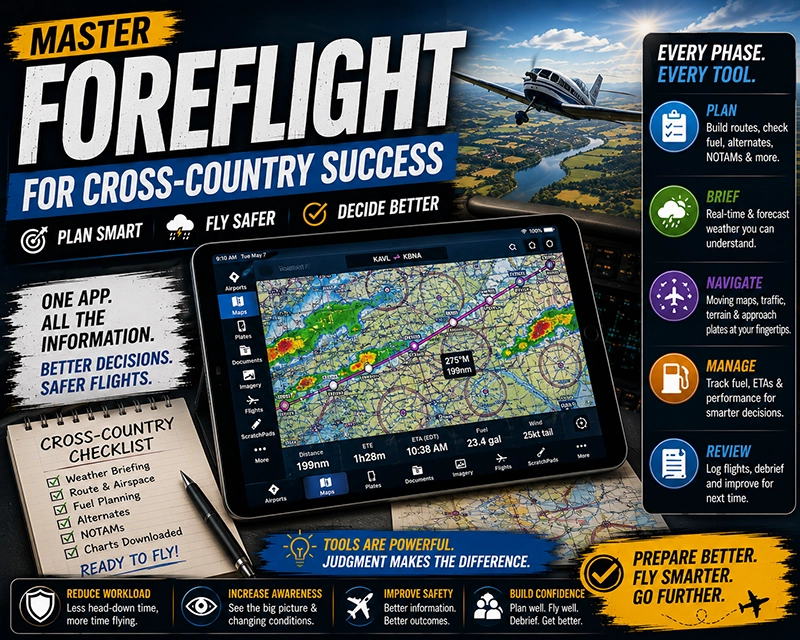
ForeFlight is a widely used electronic flight bag that transforms cross-country flight planning and in-flight decision-making for pilots. For student pilots, flight instructors, and professional aviators, mastering ForeFlight speeds preflight work, clarifies weather, and helps manage navigation and fuel awareness without replacing fundamental airmanship.
This article explains practical ways pilots use ForeFlight on cross-country flights, how to interpret its tools in real-world operations, common misunderstandings to avoid, and simple habits that improve safety and efficiency. Whether you are planning a first solo cross-country or teaching an instrument cross-country, the guidance below focuses on operational use and sound judgment rather than app-specific shortcuts.
How ForeFlight Fits into Cross-Country Flying
At its core, ForeFlight bundles charts, weather, flight planning, and documentation into one interface. Pilots typically use it during three phases: preflight planning, inflight navigation and weather monitoring, and postflight review. In preflight, you can build a route, check fuel and alternates, and review weather and NOTAMs. Inflight, the app provides moving-map situational awareness, synthetic vision or terrain depiction, and quick access to approach plates. After landing, you can archive logs, file revisions, and annotate lessons learned.
Why This Matters in Real-World Aviation
Cross-country flights introduce variables not present in local flying: changing weather along the route, airspace transitions, fuel planning over longer legs, and the need to identify alternates or diversion fields. ForeFlight consolidates many sources of information so pilots can spend more time interpreting the conditions and making decisions. Properly used, it reduces the workload of information gathering and keeps the pilot focused on operational risk management and airman skills.
How Pilots Should Understand ForeFlight Features
Think of ForeFlight as an information hub supporting, but not replacing, pilot judgment and procedures. Key capabilities used on cross-country flights include:
- Route planning and performance planning: Build a route with user waypoints, view expected distances and track, and estimate fuel burn when you enter realistic aircraft performance numbers.
- Weather briefing: Access METARs, TAFs, radar overlays, satellite imagery, and convective outlooks to form a mental model of weather trends across the route.
- Charts and plates: View sectional and enroute charts, approach and departure procedures, and airport diagrams. Download for offline use when network coverage is limited.
- Traffic and ADS‑B integration: When paired with onboard receivers, see traffic information on the moving map to aid collision avoidance and positional awareness.
- Flight plan filing and tracking: File flight plans directly through the app where supported, and use flight tracking or log features to document the trip.
Understanding how each feature produces information and its limitations is crucial. For example, weather overlays are depictions or interpolations and not a substitute for official briefs or pilot weather judgment. Likewise, automatic routing suggestions should be compared to the pilot's own route planning and airspace knowledge.
Common Mistakes or Misunderstandings
Pilots sometimes over-rely on the app’s automation or assume downloaded data is always current. Common pitfalls include:
Assuming connectivity. Relying on live weather overlays or flight plan filing requires a data connection. Always download charts, plates, and relevant weather products for anticipated no-network segments.
Ignoring raw products. Graphical overlays and colored hazard depictions simplify information, but pilots should view METARs, TAFs, and raw NOTAM text when making safety-critical decisions.
Misreading performance estimates. ForeFlight can compute time and fuel estimates based on entered aircraft profiles. If the profile is not configured to match actual weight, power setting, or fuel burn, estimates can be misleading. Validate numbers against your aircraft's POH and actual fuel burn experience.
Overlooking airspace and procedure limitations. Using the app’s route tools does not remove responsibility to brief approach plates, minimums, or local airspace restrictions. Pilots must ensure the planned procedure or route is appropriate for their certification and current conditions.
Practical Example: A Single-Engine Cross-Country
Imagine a VFR cross-country from a small GA field to a regional airport 250 nautical miles away with one fuel stop planned. In the preflight phase, the pilot uses ForeFlight to build the route with waypoints that follow major checkpoints and predict headings and distances. The pilot enters aircraft weight, expected cruise power, and fuel reserves to get a realistic endurance estimate. The pilot downloads the enroute chart, destination airport diagram, and latest NOTAMs to be available offline.
Before departure, the pilot reviews a radar loop and METARs at departure, enroute, and destination fields to assess convective activity and surface winds. Using the app’s profile view, the pilot checks approximate terrain beneath the route and ensures the planned altitudes provide obstacle clearance and fuel-efficient winds.
Inflight, the pilot monitors the moving map, crosschecks GPS-derived groundspeed and ETA against the predicted numbers, and watches for changing weather along the route. When encountering an unexpected line of showers, the pilot consults the radar overlay and nearest airport weather, then elects an alternative route that keeps clear of the convective cells and proceeds to the planned fuel stop earlier than initially scheduled. After landing, the pilot stores the flight log and notes the fuel burn to refine future performance estimates.
Best Practices for Pilots
Adopt habits that reduce risk and improve decision-making when using ForeFlight on cross-country flights:
- Download critical charts and weather for offline use before flight.
- Verify the aircraft profile and performance inputs match the aircraft and planned configuration.
- Cross-check graphical weather with raw METAR/TAF and official briefings for full context.
- Use ForeFlight as an aid to situational awareness, but keep primary scan and navigation skills current.
- Practice diversion planning before flight: identify alternates, safe emergency fields, and fuel options along the route.
- Familiarize yourself with how ForeFlight presents NOTAMs and chart changes so nothing critical is missed.
How ForeFlight Affects Pilot Training and Decision-Making
In training, ForeFlight can shorten preflight briefing time and allow instructors to focus on decision-making, risk management, and pilotage. Instructors should ensure students do not substitute app interaction for basic navigation skills like pilotage and dead reckoning. Teach students to interpret weather products, not just rely on color-coded overlays. Emphasize cross-checking app-generated data with traditional sources and flight instructor guidance.
Common Operational and Safety Risks
Operational risks arise when pilots place passive trust in automation. Examples include: following a recommended route without checking controlled airspace, accepting a fuel estimate without validating payload and winds, or attempting an approach solely from a plate image without briefing altitudes and missed approach procedures. To mitigate these risks, use the app to inform decisions and confirm critical items through conventional procedures and training.
Frequently Asked Questions
Can I rely on ForeFlight for legal flight planning and filing?
ForeFlight is a powerful planning and filing tool, but it does not replace the pilot’s responsibility to ensure compliance with regulations and safe operation. Always verify filed information, brief NOTAMs and weather, and ensure the flight plan and route are appropriate for your certification and aircraft.
How should I prepare ForeFlight for a route with limited cellular coverage?
Before departure, download the necessary enroute and terminal charts, airport diagrams, and weather products you expect to need. Save destination plates and any documents you might require. Confirm your onboard ADS-B or GPS receiver operates offline if you expect to fly without mobile data.
What if ForeFlight weather overlays disagree with the official briefing?
Use raw METARs, TAFs, and the official briefing to resolve discrepancies. Overlays are derived from products and model interpolations; they can help visualize trends but should not replace the authoritative information you get from a formal briefing or official weather message.
Does ForeFlight change how I should plan fuel stops?
ForeFlight simplifies estimating fuel consumption by using aircraft profiles, but pilots should validate those estimates against the aircraft POH and recent fuel burn history. Always plan conservative reserves and consider earlier diversion points rather than relying solely on app calculations.
How can instructors integrate ForeFlight into lessons without creating dependency?
Use ForeFlight to illustrate concepts and reduce administrative time, then require students to demonstrate knowledge without the app at times. Balance digital proficiency with foundational skills like navigation by landmarks, basic radio work, and manual flight planning exercises.
Key Takeaways
- Practical takeaway: Use ForeFlight to consolidate route planning, charts, and weather, but always verify key information against raw sources and POH figures.
- Safety takeaway: Download critical charts and weather for offline use and cross-check automated estimates to avoid surprises in flight.
- Training takeaway: Teach students to interpret weather and performance data, not just follow graphical overlays or automated routing.