
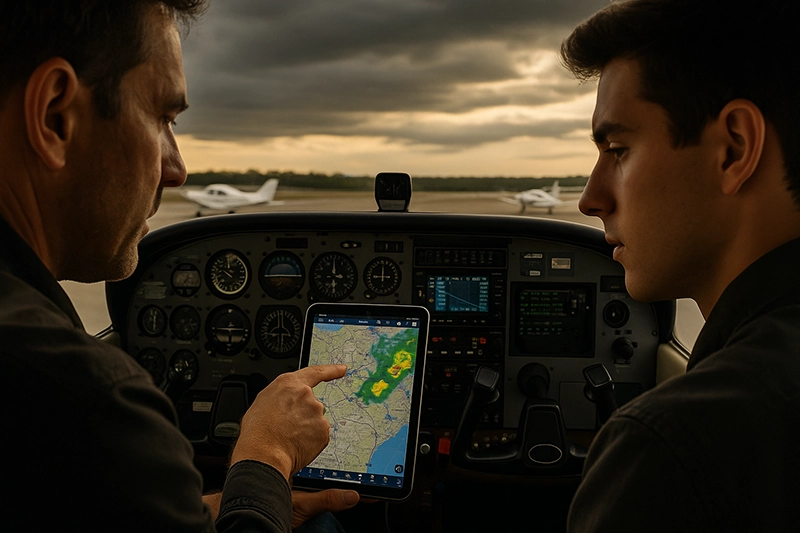
Aviation apps have changed how pilots plan, brief, and fly. From electronic flight bag tools to weather overlays and ADS-B traffic, these mobile and tablet applications are essential operational aids. Every pilot, student, and instructor needs a clear understanding of what these apps do, how they fit into preflight and in-flight workflows, and where their strengths and limitations lie.
This article walks through the categories of aviation apps, explains practical cockpit and training implications, highlights common mistakes, and presents best practices for safe, consistent use. Read on to learn how to apply these tools to real-world flying, improve decision making, and reduce operational risk.
What Aviation Apps Are and Why They Matter
Aviation apps are software tools designed to support specific pilot tasks: flight planning, weather interpretation, charting, performance calculations, weight-and-balance, logbook management, traffic awareness, and more. They run on mobile devices, tablets, or integrated avionics and often share data with ADS-B receivers, portable GPS units, or backend services.
For pilots, the value of aviation apps lies in information access, situational awareness, and process efficiency. A well-chosen app reduces the time spent on repetitive tasks, surfaces hazards earlier, and makes complex calculations manageable. For instructors and students, apps are training aids that can accelerate learning if used thoughtfully.
Core Categories of Aviation Apps
Grouping apps by function helps pilots evaluate what they need and why. Each category has distinct operational tradeoffs and training implications.
Flight planning and navigation apps provide route creation, fuel and time estimates, and electronic charting. Electronic flight bag (EFB) suites combine charts, manuals, and operational documents into a single platform. Weather apps offer METARs, TAFs, radar and satellite imagery, and model-based forecasts. ADS-B and traffic apps display nearby traffic and sometimes weather via compatible receivers. Performance and weight-and-balance calculators handle aircraft-specific numbers when included. Logbook and training apps track hours, endorsements, and training milestones.
Understanding these categories helps pilots choose tools that align with the type of flying they do: local training flights, cross-country IFR, turbine or commercial operations, or specialized missions such as aerial surveying.
Why This Matters in Real-World Aviation
Apps change real-world flight operations in three ways: information availability, decision timing, and workload distribution. When used correctly, they increase the speed and quality of decisions. When misused, they can create new failure modes such as overreliance, stale data, or distraction.
In flight training, apps can accelerate student understanding of navigation, weather, and systems. In operational flying, apps are part of the normal flow for preflight briefings and inflight reroutes. For safety professionals and instructors, understanding app behavior is critical when evaluating human factors, such as how pilots prioritize alerts or integrate app data with instrument readings.
How Pilots Should Understand Aviation Apps
Use an operational mindset rather than a feature checklist. An app is a tool that supports tasks; it is not a substitute for aeronautical knowledge, good judgment, or required equipment unless specifically approved by your operator or authority. Begin by defining the mission: what information do I need, and when do I need it? Then choose apps that reliably provide that information with minimal additional workload.
Key concepts pilots should internalize:
- Data currency and source. Know how often the app updates and where it pulls data from. Weather and NOTAMs change rapidly; verify that the app provides the appropriate data refresh for your operation.
- Data limits. Understand what an app does not show. For example, an app may display traffic detected by an ADS-B receiver but will not show non-equipped aircraft. Performance calculators require accurate aircraft configuration and recent weight-and-balance inputs to produce useful outputs.
- User interface and workload. Choose apps that are intuitive under pressure. An app with crowded screens or hidden settings increases cockpit workload and risk.
- Integration and redundancy. Favor systems that integrate well with your avionics and radios, but maintain redundant information sources for critical items such as altitudes and clearances.
Common Mistakes or Misunderstandings
Pilots often fall into predictable traps when using aviation apps. Identifying these helps reduce risk and improves training outcomes.
Assuming data is authoritative. Apps aggregate information from various feeds, and some feeds have latency or coverage gaps. Treat app data as one input among many rather than a final authority. For critical regulatory or operational status checks, verify with official sources or operator guidance.
Overreliance on a single app. Relying on one vendor or device increases vulnerability to software bugs, battery failure, or connectivity loss. Keep a backup charting option and practice flying with minimal app support as part of recurrent training.
Ignoring app settings that affect safety. Examples include automatic route snapping, auto-zoom, or synthetic voice alerts that may change how information is presented during workload spikes. Test these settings during training flights so they behave predictably in operations.
Misinterpreting traffic and weather displays. ADS-B traffic displays show only equipped targets. Radar smoothing, projection artifacts on weather maps, and color scales can be misread if the pilot is unfamiliar with the display conventions used by the app.
Failing to update databases and charts. Many navigation and chart apps require periodic database updates. Flying with outdated charts or navigation databases is an operational risk. Create a discipline for database and app updates as part of preflight checks.
Practical Example: A Cross-Country VFR-to-IMC Scenario
Scenario: A pilot plans a 200-nautical-mile cross-country in a single-engine piston trainer. Departure is VFR, but forecast weather shows a potential low overcast en route that could cause an unplanned transition to instrument conditions.
How aviation apps enter the flow: The pilot uses a flight planning app to lay out routing, estimate fuel burn, and calculate time en route. A weather app provides METARs, TAFs, and radar/satellite. An ADS-B receiver paired to a tablet supplies live traffic and updated weather where available. A performance calculator confirms takeoff and climb performance given the day's weight and density altitude.
Operational use: During preflight, the pilot confirms the route, downloads the latest charts and NOTAMs in the EFB app, and cross-checks fuel and reserve numbers. In flight, the pilot monitors weather overlays and sets decision points: if solid ceilings reach a pre-determined distance or a new SIGMET appears, the plan is to divert to an alternate. The ADS-B app alerts to nearby traffic during climb and descent.
Training value: An instructor can use this scenario to teach go/no-go decision making, diversion planning, and how to interpret radar echoes versus convective cell markers. Importantly, the scenario highlights how apps expand information access yet still require pilot judgment for execution.
Best Practices for Pilots
Adopt these habits to make aviation apps reliable aids rather than potential liabilities.
- Standardize apps across the aircraft fleet when possible. Consistency reduces training time and confusion during transitions between aircraft.
- Maintain a regular update schedule. Lock in a calendar reminder to update chart databases and app versions at an interval appropriate to your operations.
- Carry redundancy. Have at least two independent sources for critical information such as charts and weather. A tablet plus paper or a second device is a practical approach.
- Practice degraded operations. Train without apps or with simulated outages to develop proficiency and reduce reliance under failure conditions.
- Verify data before execution. Cross-check computed performance numbers and automated route changes against basic pilot knowledge and the aircraft’s POH numbers when available.
- Secure power and mounting. Ensure devices are well-mounted, charged, and that you have spare power. Consider dedicated charging solutions for longer flights.
- Set up a preflight app checklist. Include database currency, backup options, ADS-B receiver connectivity, and key app settings in your personal preflight flow.
How Instructors Should Teach App Use
Integrate app training into scenario-based lessons rather than isolated device training. Begin by teaching manual techniques for planning, weather interpretation, and navigation. Then demonstrate how apps can speed these tasks, clarify what each app automates, and show potential failure modes. Encourage students to verbalize how they reach decisions with app data so instructors can assess understanding rather than app dependence.
Use cross-check tasks: give students a planning problem to solve both with and without apps and compare the outcomes. This builds mental models and ensures students understand underlying aeronautical concepts rather than simply following app prompts.
Evaluating Popular App Features: Operational Considerations
Not every feature is equally valuable in all missions. Below are operational notes on frequent features pilots encounter.
Automated route optimization. Useful for efficiency but validate airway or altitude choices against ATC procedures and personal minima. Automatic routes may not consider local restrictions or temporary flight rules.
Weather layering and predictive models. Layers combining radar, satellite, and forecast models improve situational awareness, yet model outputs are probabilistic. Use them to build scenarios and margins rather than as definitive forecasts.
Traffic and target identification. ADS-B traffic improves awareness of equipped aircraft but can give a false sense of security. Maintain visual scanning and standard collision avoidance techniques. Understand target labeling, relative motion cues, and how target size is represented on the display.
Automated performance calculations. Performance algorithms simplify calculations but need correct input. Incorrect weight, runway condition, or flap settings produce misleading results. Where possible, verify app outputs against the aircraft performance handbook or operator guidance.
Common Questions from Pilots
Are aviation apps legally acceptable for navigation and charts?
Many operators and authorities permit electronic charts and apps as substitutes for paper charts if the operator’s procedures and the relevant authority allow it. Individual pilots should verify their operator’s policies and the rules in the countries where they fly. Regardless of legal acceptance, pilots must understand any limitations or restrictions that apply to their use of electronic tools.
Can I rely on ADS-B weather and traffic on a tablet?
ADS-B provides valuable situational awareness, but its coverage depends on ground station density and aircraft equipment. ADS-B weather products may be delayed compared with primary radar sources. Use ADS-B data as a supplemental information source and cross-check critical information with other sources when available.
How often should I update my chart and navigation databases?
Update frequency should match the app vendor’s guidance and your operational needs. Some pilots update monthly to capture AIRAC cycle changes. At a minimum, establish a routine for checking updates and incorporate database currency into your preflight flow.
What about cybersecurity and data privacy with aviation apps?
Consider security when connecting apps to devices and receivers. Use strong device-level protections, keep software updated, and be cautious when sharing flight data. For commercial operations, follow any company IT and data handling policies applicable to flight data and operational information.
Frequently Asked Questions
What are the essential aviation apps every pilot should have?
Essentials depend on mission, but broadly include: a reliable charting/navigation app, a weather app with quick access to METARs and radar, an ADS-B traffic/weather app if using a receiver, a basic performance/weight-and-balance tool, and a logbook or training tracking app. Choose apps that work together and meet your operational needs.
How do I choose between multiple apps that offer similar functions?
Evaluate based on data currency, user interface under workload, integration with existing avionics or receivers, offline capabilities, and support for your aircraft type. Trial apps during non-critical flights and use vendor trials or demo modes before committing.
Do apps replace traditional pilot skills?
No. Apps enhance information flow and reduce routine workload, but core skills such as navigation basics, weather interpretation, stick-and-rudder proficiency, and judgment remain essential. Train both with and without apps to retain these skills.
What should I do if an app gives a different value than the aircraft POH?
Treat the POH or manufacturer data as authoritative where applicable. Investigate the discrepancy by checking inputs and settings in the app. Do not use app results that contradict the POH for limits, placarded values, or certification parameters without confirmation from an authoritative source.
Key Takeaways
- Practical takeaway: Use aviation apps to improve information access and decision timing, but integrate them into a disciplined preflight and inflight workflow.
- Safety takeaway: Maintain redundancy and practice degraded operations; do not depend exclusively on a single app or device for critical information.
- Training takeaway: Teach app use within scenario-based training so students learn underlying aeronautical principles as well as app-driven procedures.
Effective use of aviation apps requires deliberate integration into pilot workflows, clear understanding of data sources and limitations, and regular training on degraded or no-app scenarios. When pilots and instructors treat apps as powerful tools rather than infallible authorities, these technologies measurably improve situational awareness and operational efficiency.
Finally, because software and services change rapidly, maintain a habit of reviewing app behaviors after updates and periodically revisiting your personal operating procedures to keep app-related practices aligned with current capabilities and limitations.