
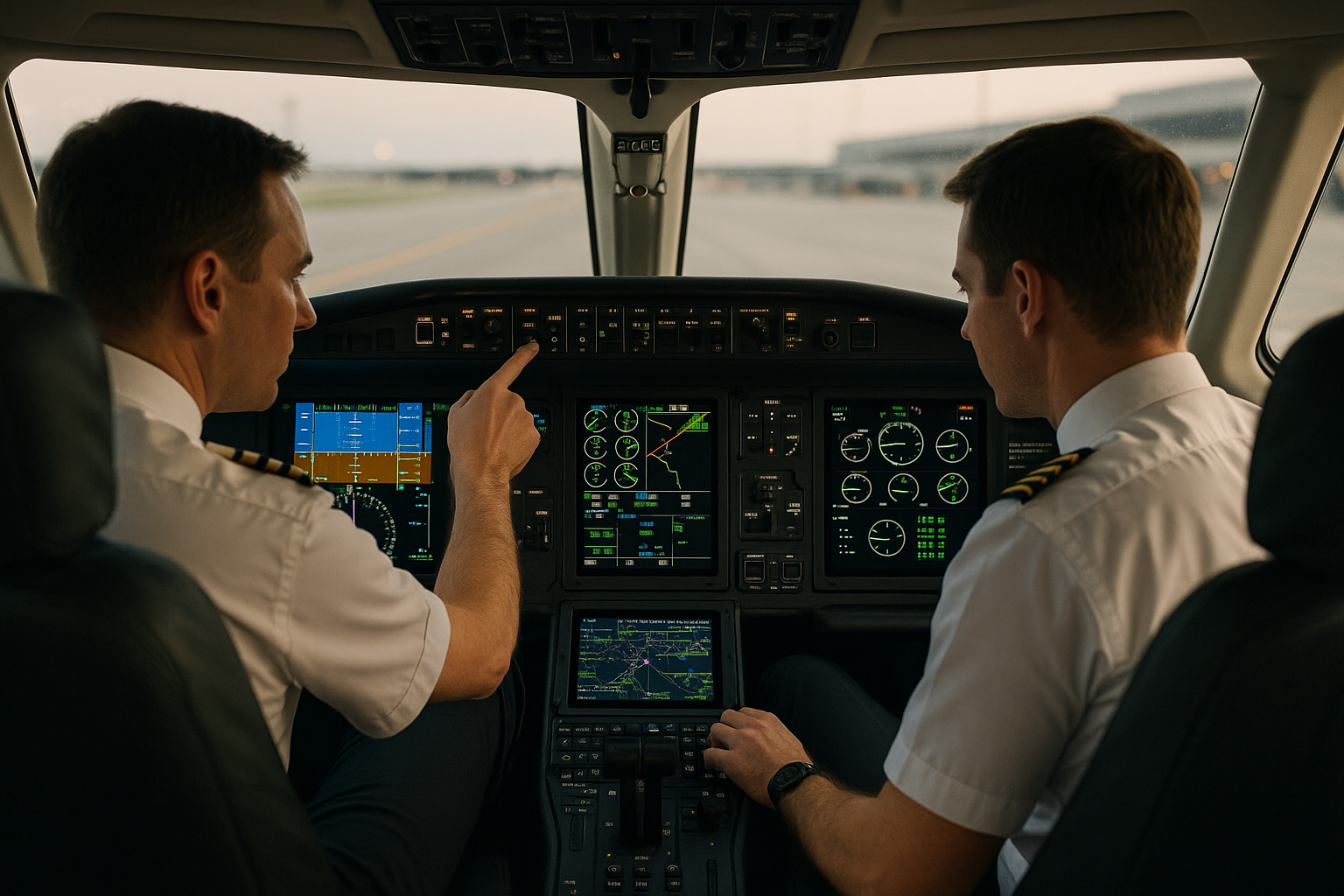
Glass cockpit systems have become the operational baseline for career pilots across airline, corporate, and advanced general aviation fleets. Understanding how to operate integrated displays, navigation databases, flight management systems, and automated flight controls is no longer optional for professional pilots. Mastery of glass avionics affects situational awareness, workload management, crew coordination, and ultimately safety.
This article explains practical best practices for glass cockpit systems with the career pilot in mind. You will find operational guidance, training recommendations, common failure modes and misunderstandings, a realistic scenario that links technique to decision making, and a concise set of actions you can begin applying in training or line operations. The primary keyword "glass cockpit systems" appears throughout to keep the focus on avionics that integrate digital flight displays and automation.
Understanding the Core Idea
Glass cockpit systems are integrated avionics suites that use electronic flight displays rather than conventional analog gauges. The core elements typically include a primary flight display, a multifunction display, attitude and heading reference systems, air data computers, GPS and navigation receivers, flight management systems, and autopilot/flight director systems. These components exchange data, present synthesis of flight and navigation information, and provide alerts and system status in ways that require a pilot to interpret both the information and the automation logic behind it.
Operationally, the value of glass cockpits is in improved information integration and configurable presentation. That value is realized only when crews understand how data flows through the system, how modes affect guidance and control, and how to manage failures and degradation. For career pilots, that understanding must be proceduralized in standard operating procedures, recurrent training, and crew briefings.
Why This Matters in Real-World Aviation
Glass cockpit systems change how pilots gather information, make decisions, and maintain aircraft control. When used correctly they can reduce workload, increase situational awareness, and improve the accuracy of navigation and flight-path control. When misused or misunderstood they introduce risks such as mode confusion, automation complacency, and failure to detect degraded sensors or stale navigation data.
In operational contexts—airline dispatch, corporate flight departments, and charter operations—glass avionics influence many real-world tasks. Dispatchers and pilots must coordinate database currency and NOTAM awareness. Maintenance and avionics technicians must manage software updates and deferred maintenance items that can affect display accuracy. Training programs must include hand-flying practice, automation management, system failure recognition, and reversion strategies. For single-pilot operators transitioning to glass, the human factors implications of single-person monitoring and verification are particularly significant.
How Pilots Should Understand Glass Cockpit Systems
Understanding glass cockpit systems is both technical and behavioral. Technically, pilots need to know the major functional blocks and how to read their displays quickly and accurately. Behaviorally, pilots need habits that prevent automation surprise and preserve control authority and decision-making options.
Key functional blocks to internalize:
- Primary Flight Display (PFD): presents attitude, airspeed, altitude, vertical speed, flight director cues, and primary warnings. Know how the PFD presents failure annunciations and reversion modes.
- Multifunction Display (MFD): typically shows navigation maps, engine indications, weather overlays, terrain, and system synoptics. Use it for strategic, not tactical, scanning unless the operator procedures differ.
- AHRS and ADC: attitude and heading reference plus air data combine to drive the PFD. Know how the system indicates degraded or lost sensors and how to cross-check instruments if needed.
- Flight Management System (FMS) or Flight Management Computer (FMC): manages lateral and vertical navigation sequences, performance computations, and VNAV logic. Understand how flight plans are entered, how arbitrary constraints interact with VNAV, and how VNAV transitions between phases of flight.
- Autopilot and Flight Director: manage the aircraft trajectory under pilot or FMS guidance. Learn what each autopilot mode does in plain language and verify mode engagement during phase transitions.
- Navigation Databases and Databases Management: include approaches, SIDs, STARs, terrain and obstacles. Ensure currency per operator procedures; outdated databases can produce incorrect lateral or vertical guidance.
Mode awareness is fundamental. Pilots must be able to answer three quick questions at any time: what the system is trying to do, which source is providing guidance, and what will happen if the active source changes. When these answers are not apparent within a few seconds, the pilot needs to take deliberate action to re-establish clarity.
Common Mistakes or Misunderstandings
Career pilots frequently encounter several recurring pitfalls with glass cockpit systems. Recognizing and correcting these is central to operational safety.
Mode confusion is the classic error. It happens when a pilot believes the automation is in one mode while the system is actually in another. Mode confusion can arise during changes in guidance source, during autopilot engagement or disengagement, or when the FMS inserts lateral or vertical constraints. The remedy is procedural: brief transitions, confirm active modes, and verbalize critical mode changes in multi-crew operations.
Overreliance on automation leads to skill fade. If pilots seldom hand-fly or practice partial-panel work, their ability to intervene manually declines. Maintain regular hand-flying practice in training and line checks, and include partial-panel and reversionary-mode training in recurrent programs.
Poor scan discipline is another common problem. Glass displays can present a large amount of synthesized data; some pilots fixate on the MFD map or a particular indicator and fail to maintain a proper outside and instrument scan. Develop a scan strategy that includes outside references, primary flight instruments, and an occasional systems scan for abnormalities.
Misinterpreting alerts and inhibiting warnings can also be dangerous. Some systems allow temporary inhibition of certain alerts, but indiscriminate use can mask important failures. Follow operator guidance and remember that suppressed annunciations might still indicate unresolved conditions.
Practical Example: Approach in IMC with Partial Avionics Degradation
Scenario: You are a two-pilot crew conducting an instrument approach in IMC. During the initial descent the MFD shows intermittent navigation updates and the captain notices a yellow caution indicating degraded AHRS data. The autopilot remains engaged, but the flight director occasionally gives inconsistent pitch commands.
Operational approach:
- Call out and brief the failure: Verbalize the observed degraded AHRS indication, noting whether it is advisory or a hard fail. Declare who will fly and who will handle checklists.
- Stabilize the aircraft: If the flight director guidance is inconsistent, hand-fly or select all-attitude-mode on the autopilot if available and approved; otherwise disconnect autopilot to remove misleading cues.
- Reversion and cross-check: Use standby attitude and airspeed instruments and cross-check GPS-derived heading or navigation sources if available. Confirm primary navigation source for the approach and whether the FMS must be re-tuned or re-identified.
- If approach can be safely continued, configure for a stabilized approach and brief the missed approach with degraded automation in mind. If uncertainty persists or the aircraft cannot be stabilized, execute the missed approach and consider diverting.
Discussion: The scenario highlights the interplay between system knowledge, crew communication, and conservative decision making. The correct outcome is determined by the crew’s ability to identify the degraded source, re-establish an accurate primary source of attitude and navigation, and prioritize maintaining aircraft control over procedural completion.
Best Practices for Pilots
Below are operational habits and training emphases that produce consistent, safe outcomes when operating glass cockpit systems. These are phrased as practices rather than checklists to encourage integration into daily flying and recurrent training.
- Preflight and power-up: Use the preflight power-up as a system brief. Confirm database currency, verify that required navigation sensors are healthy, and review the initial flight plan entry on the FMS. Verify display reversionary settings so you know how information will appear if a primary display fails.
- Brief and verbalize automation mode changes: During taxi, takeoff, approach briefings, and handoffs, include a short statement on expected autopilot/FMS modes. Verbal confirmation reduces surprise when the system transitions modes in flight.
- Know the meanings of all annunciations and cautions: Developers design annunciations to convey different severity levels. Understand which alerts require immediate flight-path control and which are advisory or deferred actions.
- Maintain hand-flying currency: Deliberately practice manual flight in normal and non-normal scenarios. Training should include partial-panel, instrument failures, and reversionary display operation.
- Keep databases current and verify critical Follow operator procedures for database updates. Before a flight where approach and departure routing are critical, confirm the presence and correctness of required procedures in the database.
- Use the MFD strategically: Let the MFD support strategic navigation and system health checks. Avoid becoming dependent on layered map symbology during critical flight phases without cross-checking the PFD and raw data when necessary.
- Plan for failures: Brief the crew on common failure modes for the specific cockpit and have a short plan for handling likely degradations, including which pilot will fly and which will manage systems.
- Manage automation transitions: When handing the aircraft between autopilot and manual control, always ensure a positive tactile or verbal confirmation of disengagement/engagement and cross-check flight path and mode annunciations.
- Limit custom symbology in high workload phases: Some pilots personalize displays. In high workload or degraded scenarios, simplify the display to show the minimum critical information.
- Coordinate with maintenance and flight operations: Report intermittent or recurring anomalies promptly. Small anomalies often precede more significant failures and timely reporting preserves system integrity for the fleet.
Training Recommendations for Career Pilots
Training should be layered and recurrent. Initial transition training needs to focus on system architecture, mode logic, and simulator practice of likely failure modes. Recurrent training must include hand-flying, partial-panel, and scenario-based exercises that force pilots to manage degraded automation under realistic workload.
Simulator sessions are valuable because they allow crews to experience combined failures and degraded sensors without risk. However, line-oriented flight training should also include real-aircraft practice where safe and feasible so pilots retain sensory cues that simulators sometimes underrepresent.
Training syllabi should emphasize cognitive skills as well as procedural knowledge. Scenario-based training that integrates threat and error management, crew resource management, and decision making will translate best to line operations.
Operational and Maintenance Coordination
Glass cockpit performance is a shared responsibility. Flight crews must report anomalies clearly; maintenance must document deferred items and understand how software updates and database changes impact operational behavior. Operators should have clear procedures for database management, software release verification, and the handling of intermittent faults.
When maintenance performs software or database updates, crews should be briefed if changes affect normal operational flows or present new symbology or modes. Similarly, operations should ensure that dispatch and flight planning databases match the avionics database versions used on the aircraft to avoid mismatches in routing or available procedures.
Human Factors and Crew Coordination
Glass cockpits alter the distribution of tasks between human and machine. Effective crew coordination includes cross-monitoring display cues, verbalizing mode changes, and supporting the flying pilot by reading and interpreting system messages. In single-pilot operations, the pilot must deliberately sequence tasks to avoid fixation and allocate time to monitor system status at intervals.
Fatigue and high workload increase the likelihood of automation surprise. Operators should design duty schedules and training to minimize fatigue-induced errors and emphasize recognition of degraded performance attributable to human factors.
Frequently Asked Questions
Do career pilots need different training for glass cockpits compared to steam gauges?
Yes. Training for glass cockpit systems focuses on systems architecture, automation modes, database management, and failure reversion. While basic pilot skills remain the same, career pilots must develop automation management skills, maintain hand-flying currency, and practice partial-panel and scenario-based failures specific to integrated displays.
How should a crew respond to conflicting attitude information between displays?
When attitude information conflicts, prioritize aircraft control using standby or independent attitude instruments and basic flying techniques. Call for a reversion to backup instruments, identify and isolate failed sensors if possible, and follow company procedures for degraded flight. If the conflict compromises safe flight, consider diverting to a suitable airport.
How often should navigation databases be updated?
Database currency requirements are determined by operator procedures and manufacturer guidance. Follow your operator's database update policy and verify critical approach or departure procedures before flight. If you operate as a single-pilot or under non-airline rules, follow the manufacturer’s recommended update intervals and any applicable operational guidance.
What are the signs of automation complacency and how can they be managed?
Signs include reduced monitoring of flight parameters, delayed recognition of mode changes, and overreliance on automation for non-routine decisions. Management strategies include procedural briefings, periodic manual flying, targeted simulator exercises, and explicit cross-monitoring duties between crew members.
Can you fly safely with multiple display failures?
Yes, but it requires training, a clear plan, and conservative decision making. Many aircraft have reversionary modes and backup instruments to allow continued flight. The crew must prioritize aircraft control and safe diversion if necessary, use standby instruments, and coordinate with ATC and maintenance to manage the remainder of the flight.
Key Takeaways
- Practical takeaway: Brief expected automation modes before each phase of flight and verbalize mode transitions to maintain shared situational awareness.
- Safety takeaway: Prioritize basic aircraft control and standby instruments when displays degrade; avoid continuing approaches if you cannot ensure a stabilized flight path.
- Training and decision-making takeaway: Maintain regular hand-flying practice and include realistic, scenario-based failures in recurrent training to prevent skill fade and automation surprise.
Glass cockpit systems offer substantial operational benefits, but they transfer new responsibilities to the pilot and the crew. The most successful career pilots treat glass avionics as a toolset: they know the capabilities, anticipate the limitations, and practice deliberate techniques for managing both normal and degraded operations. Integrate the practices described here into your SOPs and recurrent training to convert digital capability into operational safety.