
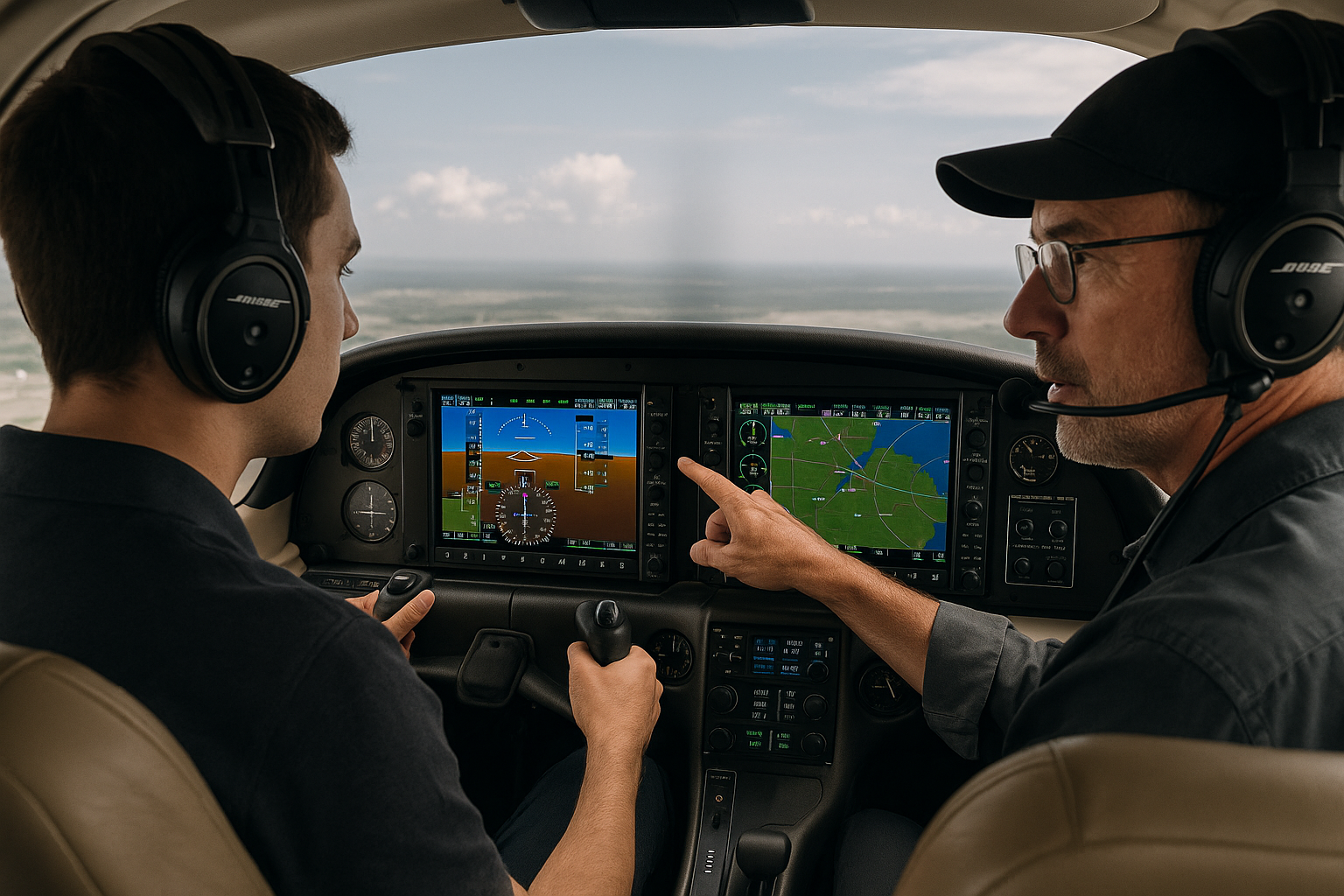
Glass cockpit systems have become a central part of modern flight training and aircraft operation. For student pilots, instructors, and experienced aviators, understanding how advanced electronic flight displays, integrated navigation systems, and automation interact is essential to safe, efficient flying. This article explains what advanced glass cockpit systems are, why they matter in training, and how pilots can build practical skills and sound judgment when operating them.
The practical value of this guide is straightforward. Whether you are transitioning from steam gauges to a primary flight display and multifunction display, preparing for an avionics upgrade, or teaching instrument procedures in a modern-equipped airplane, you need clear operational concepts, realistic training practices, and an understanding of common failure modes. This article focuses on pilot decision-making, human factors, and training techniques that produce safer outcomes in everyday flying and challenging situations.
Clear Main Section
At its core, an advanced glass cockpit system replaces analog gauges with digital displays that integrate flight instruments, navigation, traffic, weather, engine instrumentation, and system alerts. Typical elements include a primary flight display or PFD, a multifunction display or MFD, a flight management system or FMS, integrated GPS, ADS-B traffic and weather, and often an avionics suite that communicates with autopilot and trim systems.
These systems present data in layers and screens rather than separate physical instruments. That integration makes cross-checking and situational awareness more efficient when used correctly. It also creates the potential for new error types, including mode confusion, data-source mismatches, and complacency when pilots rely on automation without understanding its limitations.
From a training perspective, glass cockpits change how pilots learn standard flight maneuvers and instrument procedures. Traditional pilot training emphasizes scan patterns and mechanical instrument cross-checks. In glass environments, the scan becomes dynamic: pilots scan contextual displays, verify navigational sources, manage database entries, and monitor automation states while retaining basic aircraft control skills.
Why This Matters in Real-World Aviation
Advanced glass cockpit systems affect everyday flying tasks and critical decision points. In the real world, glass avionics can improve situational awareness and reduce workload when they present information accurately and when pilots maintain a correct mental model of the system state. They also shift the nature of risk: instead of failing instruments, pilots more often face degraded information, misconfigured automation, or outdated navigation data.
Consider three operational areas where glass avionics change practice. First, navigation and approach procedures often rely on database entries and FMS sequencing. A database error or incorrect waypoint selection can create a misleading navigation picture. Second, autopilot coupling to flight director guidance is common. Pilots must understand coupling modes, altitude and heading capture behavior, and autopilot limitations during approaches and missed approaches. Third, traffic and weather overlays from ADS-B improve tactical decisions but can be misinterpreted without training on relative motion, antenna limitations, and update rates.
Maintenance and operational reliability are also relevant. Glass systems are software-driven and often require periodic database updates, software patches, and avionics-specific maintenance. Preflight checks must include system health pages, annunciations, and backup instrument readiness. In some aircraft, a complete avionics failure becomes a partial-panel situation that looks different from traditional steam gauge partial panels.
How Pilots Should Understand This Topic
Pilots need a layered mental model for glass cockpit systems. Start with the fundamentals: power, attitude, altitude, and airspeed. Those remain primary. Around that baseline, add layers that explain how the avionics present information and how automation behaves.
Build this mental model in three practical areas. First, display logic: know what information appears on the PFD and MFD, where alerts show up, and how to access system pages. Second, source logic: know which sensors feed the displays, such as which GPS or NAV source the system is using, how the attitude reference is derived, and when inertial or GPS data is primary. Third, mode logic: understand what automation is doing. Mode logic includes autopilot engagement, flight director modes, vertical navigation versus vertical speed, lateral track versus heading select, and how the system handles transitions like go-arounds or missed approaches.
This layered understanding converts into cockpit behaviors. Before takeoff, confirm system alignments, databases, current navigation sources, and whether ADS-B weather and traffic are available. During flight, use concise, verbalized mode changes to maintain shared situational awareness in multi-crew or instructor-student environments. After any alert or unexpected behavior, return to basic flying: maintain aircraft control, stabilize the attitude and speed, then troubleshoot displays and automation.
Common Mistakes or Misunderstandings
Transitioning to glass cockpit systems can produce several recurring training and operational pitfalls. These include overreliance on automation, misinterpretation of display symbology, mode confusion, incomplete preflight setup, and neglect of backup instruments.
Overreliance happens when pilots allow the system to become the primary mental model rather than an aid to judgment. This can lead to inattention to basic flying, such as not monitoring airspeed during high automation phases or failing to cross-check altitude during climbs and descents. Mode confusion occurs when a pilot expects the autopilot to follow one command but the system is in a different mode. Mode errors can result from similar labels across modes, unlabeled states, or failure to notice the active-mode annunciation.
Misinterpretation of symbology is another risk. For example, flight path markers, guidance cues, and runway overlays are invaluable, but they require practice to interpret in varying wind and visibility conditions. Pilots may also assume that traffic or weather depicted on the MFD is complete and timely; understanding update latency and coverage differences is essential.
Incomplete preflight setup is a frequent human factor gap. Failing to verify the navigation database currency, inputting incorrect approach plates or departure procedures into an FMS, or neglecting to set the correct pressure reference may create significant workload later. Finally, pilots sometimes underprepare for partial-panel scenarios. If the primary display fails, knowing how to transition to backup instruments and manual navigation is critical.
Practical Example
Scenario: A single-pilot IFR flight in a glass-equipped single-engine aircraft on an instrument approach. You have filed an RNAV approach that is loaded in the FMS. During descent, the autopilot is engaged with LNAV and VNAV active. As you intercept final approach, an unexpected advisory indicates the GPS source switched to a secondary unit, and the autopilot disconnects.
Practical response: The first priority is aircraft control. Immediately establish and maintain the appropriate attitude and power for the approach segment and verify airspeed. If the autopilot disconnected, hand-fly the aircraft while confirming the active navigation source and position. Cross-check raw data on the PFD and MFD, and compare with any available raw bearing pointers or standby instruments. If course guidance is suspect, convert to the published missed approach or execute an immediate missed approach if you are not certain of lateral containment. If time and workload permit and the system indicates an alternate navigation source with suitable integrity, reselect the correct source and, after verification, consider re-engaging automation. Throughout, apply sterile cockpit principles and communicate a brief plan to ATC if workload allows.
This example highlights several training points: preserve aircraft control first, verify navigation source and system state second, and use automation only when you understand its mode and integrity. Practicing this scenario in the simulator or with an instructor builds both technical and decision-making skills.
Best Practices for Pilots
Good habits reduce risk in glass cockpit operations. The following practices are grounded in operational experience and training value.
Develop a repeatable preflight avionics flow. A quick, consistent sequence that checks power-up tests, database currency, ADS-B status, and primary navigation sources reduces missed items.
Practice mode awareness techniques. Use callouts, briefings, and concise verbal confirmations for autopilot engagement, VNAV captures, and mode transitions.
Train partial-panel skills. Know where standby instruments are, how to access raw data pages, and how to navigate with basic GPS or VOR guidance if integrated systems fail.
Use the automation as an aid, not a substitute. Keep basic stick-and-rudder proficiency current through manual flight practice in both VFR and IMC conditions when safe and legal.
Manage databases and software proactively. Establish a procedure for timely navigation database updates and review recent software release notes during maintenance checks or post-installation.
Plan for contingencies. Identify decision points during climbs, approaches, and missed approaches where you will revert to a predefined plan if automation fails.
Frequently Asked Questions
What is the most important pilot skill when using glass cockpit systems?
Primary flying skills and mode awareness are both essential. The most important immediate skill is to maintain aircraft control first, then diagnose the avionics state. Pilots must retain basic attitude, power, and airspeed control while managing automation and troubleshooting.
How should instructors introduce students to glass avionics?
Introduce glass systems incrementally. Start with basic navigation and attitude interpretation on the PFD, move to route planning and FMS entries on the MFD, then practice autopilot coupling. Emphasize cross-checking and verbalized mode changes. Use simulation to safely reproduce failure modes and unusual automation behavior.
Can glass cockpit automation replace a pilot's decision-making?
No. Automation assists with workload and accuracy but does not replace the pilot's judgment. Pilots must interpret data, resolve conflicts, and make decisions based on operational context. Effective use of automation depends on the pilot's ability to supervise, intervene, and revert to manual control when needed.
What should I do if my primary flight display fails in IMC?
Control the aircraft and transfer attention to backup instruments immediately. If available, switch the PFD source to a secondary display or use the MFD raw data pages. Communicate with ATC and declare an emergency if necessary. Follow your aircraft's procedures for electrical or avionics failures, and consider diverting to a nearby suitable airport if required.
How often should navigation databases be updated?
Navigation database updates and software patches vary by manufacturer and operation. Establish a regular update cadence appropriate for your avionics and operational environment, and ensure database currency before flying procedures that depend on current waypoint and approach data. Consult avionics guidance and maintenance resources for manufacturer-specific recommendations.
Common Mistakes or Misunderstandings Revisited
It is worth revisiting a few specific misunderstandings that repeatedly show up in training and operational debriefs. One is confusing flight path vectors with trajectory predictions. A flight path marker shows where the aircraft is currently heading, not a guaranteed landing point if winds or thrust change. Another is assuming that map overlays are stable in all modes; some overlays may disappear or change when switching map ranges or pages. Finally, pilots sometimes assume that a single green box or annunciator guarantees system integrity. Always confirm system status with multiple cues and prioritize raw data verification if something looks wrong.
Training and Curriculum Design Considerations
Flight schools and training departments must adapt curricula to reflect glass avionics realities. Training syllabi should include time for system familiarization, procedure entry practice, failure-mode exercises, and scenario-based decision-making that mixes automation with manual flying. Simulators, both full-motion and fixed-base, provide a safe environment to practice complex failures and workload redistribution.
Instructor techniques should emphasize mental-model building. Instead of teaching button sequences alone, instructors should explain why a selection matters, how the system will respond, and what pilot actions change system state. This approach helps students generalize skills across different avionics suites and aircraft types.
Human Factors and Crew Resource Management
Glass cockpits change cockpit communication patterns. In multi-crew environments, brief, explicit callouts for mode changes and automation transitions reduce confusion. For single-pilot training, instructors should coach students on internal callouts and verbal planning. Situational awareness is a shared responsibility in multi-crew flight, and explicit communication about nav source changes, missed approach intentions, and system advisories reduces surprise and workload spikes.
Maintenance and Operational Reliability Considerations
From an operational standpoint, glass systems require regular maintenance attention. Avionics shop checks, software patch management, and database subscriptions are part of aircraft airworthiness and operational readiness. Pilots should not attempt software updates in flight and should coordinate with maintenance if anomalies arise after an update. On preflight, review system health pages and any active caution or advisory messages that could affect the flight.
Key Takeaways
- Practical takeaway: Build a layered mental model of display logic, source logic, and mode logic to manage glass cockpit systems effectively.
- Safety takeaway: Maintain aircraft control first, verify automation state second, and always have a plan for partial-panel or automation failure scenarios.
- Training takeaway: Use incremental, scenario-based training that combines simulator practice with hands-on avionics flows to develop mode awareness and troubleshooting skills.
Further Practice Activities for Pilots and Instructors
To reinforce skills, consider structured practice activities. Examples include timed flows for avionics start-up and preflight, simulated autopilot disconnect drills during approach, database update and verification exercises, and failure-injection scenarios in the simulator that require reversion to raw data navigation. Instructors should debrief not only the procedural steps but also decision points, workload management, and communication clarity.
Frequently Asked Questions - Additional
How do I avoid mode confusion during approach and landing?
Use a standard briefing before approach that includes expected autopilot modes, the intended VNAV or vertical guidance behavior, and the plan for missed approach or go-around. Make concise verbal callouts at key mode changes and visually verify mode annunciations on the PFD. Practice manual flying at critical points so you are ready to take control if modes behave unexpectedly.
Is simulator time valuable for glass cockpit training?
Yes. Simulator time is especially valuable for failure modes and unusual attitude recovery where real-world risk would be unacceptable. Use simulation to practice degraded navigation, partial-panel approaches, and complex reroutes while maintaining instrument procedures and communication discipline.
What backups should I consider when flying glass-equipped aircraft?
At a minimum, ensure standby attitude, airspeed, and altitude references are functional. Carry paper charts or an approved electronic flight bag with up-to-date procedure information. Know how to use portable navigation devices as secondary references, and ensure you can revert to VFR or accepted instrument techniques if primary glass displays fail.
Wrapping Up
Advanced glass cockpit systems offer substantial operational benefits, including better situational awareness, reduced manual workload, and integrated navigation options. These benefits are realized when pilots understand display logic, maintain accurate mental models of automation, practice partial-panel skills, and follow disciplined preflight and in-flight procedures.
For instructors and training organizations, the priority is to teach both the technical use of avionics and the decision-making frameworks that keep flying safe when automation behaves unexpectedly. For pilots, the objective is to combine automation supervision with basic flying proficiency so that you remain in command, regardless of system state.
Use the guidance in this article to structure training sessions, build practical scenarios, and develop a personal flow that promotes safety and predictability when operating glass-equipped aircraft.