
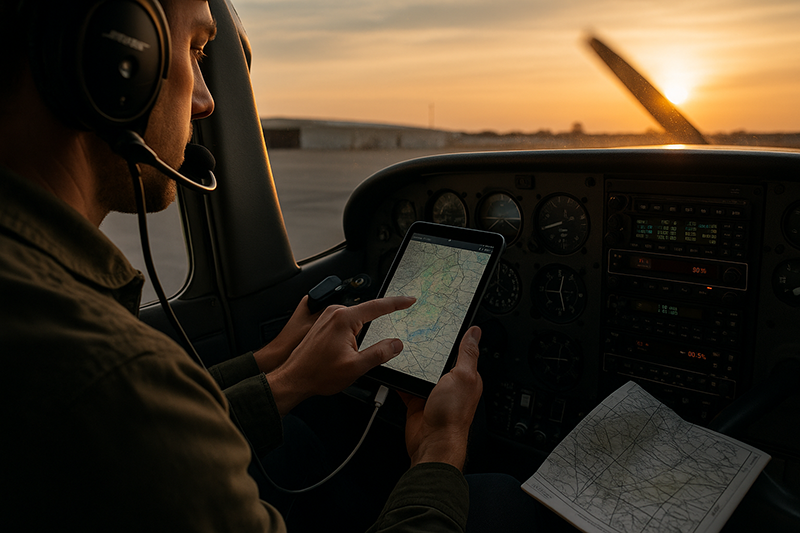
Tablet technology has become a normal part of modern flight operations, from student pilot cross-country planning to professional cockpit workflow. Used well, a tablet can reduce clutter, improve situational awareness, streamline chart access, and help pilots organize weather, performance, airport, and navigation information before and during flight. Used poorly, it can become a distraction, a single point of failure, or a source of misplaced confidence.
This article explains how pilots, instructors, and aviation operators can integrate tablet technology into flight operations with a disciplined, safety-focused mindset. The goal is not to treat the tablet as a magic cockpit tool, but to understand where it fits in the larger system of pilot judgment, aircraft equipment, preflight planning, cockpit resource management, and regulatory compliance. Whether you fly with a basic chart app or a full electronic flight bag workflow, the same core principle applies: the tablet should support the flight, not control the pilot.
What Tablet Technology Means in Flight Operations
In aviation, tablet technology usually refers to portable devices used as electronic flight bags, often called EFBs. A tablet may display aeronautical charts, airport diagrams, approach procedures, weather graphics, flight plans, aircraft documents, weight and balance information, performance calculations, checklists, logbook data, and traffic or weather information from compatible receivers. In many cockpits, the tablet has replaced a large portion of the paper chart bag.
The value of a tablet comes from combining current information with easy access. A pilot can brief an airport diagram, review a departure route, compare forecast weather, check fuel stops, examine terrain, and update a route without unfolding multiple paper charts. Instructors can use the same tools to teach airspace, navigation, preflight decision-making, and cockpit organization. Operators can use tablets to standardize company documents, distribute manuals, and maintain a consistent workflow across multiple aircraft.
However, a tablet is still a portable electronic device. It has a battery, a screen, software, data subscriptions, antennas, sensors, mounts, cables, and operating limitations. It may overheat in direct sunlight, lose power, freeze, run outdated databases, disconnect from an external receiver, or distract the pilot during a high-workload phase of flight. Integrating tablet technology into flight operations means recognizing both sides of the equation: capability and vulnerability.
A sound tablet strategy begins with a clear understanding of role. The aircraft instruments, installed avionics, approved manuals, required documents, pilot training, and applicable operating rules remain central. A tablet can be a powerful supplement, but pilots should avoid treating it as an unquestioned primary source unless the operation, equipment, software, and procedures support that use.
Why This Matters in Real-World Aviation
Real-world flying rarely unfolds exactly as planned. Weather changes, airports close, clearances are amended, fuel prices or availability may vary, and cockpit workload can rise quickly. Tablet technology helps pilots manage that complexity by putting information close at hand. For example, a pilot approaching an unfamiliar airport can brief runway layout, taxi routes, lighting, elevation, frequencies, and nearby airspace before arrival. A flight instructor can pause during a ground lesson and show a student how a forecast system or chart layer affects a route decision.
In flight training, tablets can accelerate learning when they are used intentionally. A student can visualize airspace boundaries, compare a planned route with the actual track, and review weather products in context. But tablet use can also delay fundamental skill development if the student becomes dependent on the moving map before learning pilotage, dead reckoning, VOR navigation, chart interpretation, and cockpit scan. The instructor's job is to integrate the tool without allowing it to replace the underlying skill.
In instrument training and IFR operations, tablet applications can be especially useful for chart management, procedure briefing, weather review, alternate planning, and rerouting. A pilot can quickly access an instrument approach plate, review minimums, confirm missed approach instructions, and compare route options. Yet the same environment creates risk. Heads-down time at the wrong moment, tapping through menus while hand-flying, or relying on an unverified display can degrade situational awareness. The tablet should make instrument flying more organized, not more task-saturated.
Commercial and organizational flight operations face another layer of complexity. Training programs, company manuals, document control, data currency, device security, and standard operating procedures may all influence tablet use. A well-managed tablet program can reduce variation between pilots. A poorly managed one can produce inconsistent workflows, mismatched data, and confusion about which information is authoritative.
For all pilots, the main safety issue is not whether tablets are helpful. They are. The more important question is whether the pilot has planned for failures, distractions, data limitations, and human factors before relying on the device in the cockpit.
How Pilots Should Understand This Topic
The best way to understand tablet integration is to think in terms of layers. The first layer is the aircraft itself: installed instruments, avionics, placards, approved manuals, required equipment, and aircraft performance information. The second layer is the pilot: knowledge, proficiency, judgment, memory items, checklist discipline, and decision-making. The third layer is the tablet: charts, data, planning tools, weather depictions, document access, and supplemental awareness. When those layers support each other, the cockpit becomes more capable. When the tablet replaces the first two layers, risk increases.
Pilots should also distinguish between preflight use and in-flight use. During preflight, the tablet is often at its best. It allows thoughtful review of route options, airspace, NOTAMs, weather, fuel planning, terrain, alternates, runway information, and performance considerations. The pilot has time to think, compare, question, and revise. In flight, the same tablet must be used more selectively. Any action that pulls the eyes inside and the mind away from aircraft control must be weighed against the phase of flight and current workload.
Another important distinction is data versus interpretation. A tablet can display a weather graphic, but the pilot must understand what the product means, how old it is, whether it is appropriate for tactical decision-making, and how it fits with other weather information. A tablet can display a magenta course line, but the pilot must understand airspace, terrain, fuel, aircraft performance, and clearance limits. A tablet can display traffic from a compatible receiver, but it does not eliminate the need for visual scanning, ATC communication when applicable, and sound see-and-avoid practices.
Pilots should also understand that different apps and devices behave differently. Screen layouts, chart selection, own-ship display, synthetic vision, weather layers, traffic depictions, airport diagrams, document libraries, and alerting features are not identical across products. A pilot who switches applications, shares an aircraft tablet, or flies with a borrowed device should not assume the workflow will be intuitive under pressure. Familiarity built on the ground is essential.
Battery and thermal management deserve special attention. Tablets are not designed only for cockpit use. Direct sunlight, high cabin temperatures, charging heat, older batteries, and processor-heavy applications can cause performance issues. A device that works perfectly at home may behave differently on a hot ramp, in a greenhouse-like cockpit, or during a long flight with the screen at full brightness. Planning for power and cooling is part of planning for tablet use.
Building a Practical Tablet Workflow
A practical tablet workflow should begin before the engine starts. The pilot should confirm that the correct application is installed, the subscription or data access is active, relevant chart and airport data are current, the route is loaded correctly, and any necessary documents are available offline. If the tablet requires an external receiver for GPS, traffic, or weather information, that receiver should be charged, connected, and positioned where it can function properly without creating cockpit clutter.
The next step is organizing the tablet for the specific flight. That means more than entering a departure and destination. For a VFR cross-country, it may include reviewing airspace along the route, selecting checkpoints, identifying suitable diversion airports, checking terrain, reviewing special use airspace status where applicable, and making sure airport diagrams are ready. For an IFR flight, it may include loading the expected route, checking departure and arrival procedures, saving likely approaches, reviewing alternates, and setting up the app so that critical pages are not buried behind unnecessary layers.
The cockpit setup matters. A tablet that slides across a seat, blocks flight controls, hides instruments, interferes with a yoke, or occupies a poor viewing angle can create more problems than it solves. Mounting should be secure, accessible, and appropriate for the aircraft. In a training aircraft, the pilot and instructor should agree on where the device belongs and who will manipulate it during different phases of flight. In a two-pilot environment, the crew should define responsibilities so that one pilot is not unexpectedly heads-down during a critical moment.
Good workflow also includes deciding when not to use the tablet. During takeoff, landing, traffic pattern operations, low-altitude maneuvering, initial climb, approach, and other high-workload situations, pilots should be cautious about nonessential screen interaction. A quick glance at a chart may be helpful. Searching menus, changing layers, troubleshooting connectivity, or typing route changes at the wrong time may not be. The safest tablet users often do the most work before flight and the least unnecessary manipulation during flight.
Finally, every tablet workflow needs a failure plan. A device failure should be inconvenient, not confusing. The pilot should know how to continue safely if the battery dies, the screen freezes, the app closes, the mount fails, the GPS position disappears, or the data layer does not load. The appropriate backup depends on the operation, aircraft, route, and regulatory environment. It may include a second device, paper charts, installed avionics, printed essential documents, or a clearly briefed method for obtaining needed information.
Weather, Traffic, and Moving Map Awareness
Weather information on a tablet can be one of the most valuable tools a pilot has, especially when used during preflight planning and strategic in-flight decision-making. Radar depictions, METARs, TAFs, winds aloft, graphical forecasts, icing information, turbulence information, and convective outlooks can help a pilot build a mental picture of the atmosphere. The key is understanding that tablet weather is not automatically tactical weather. Depending on the product and data source, displayed weather may be delayed, incomplete, unavailable at low altitude, or affected by reception and subscription limitations.
A disciplined pilot uses tablet weather to make broad decisions: whether to go, when to depart, which route to choose, where to divert, and when conditions are trending outside personal or operational limits. It should not encourage scud running, close-range thunderstorm penetration, or continued flight into deteriorating conditions. The tablet can show the picture, but it cannot make the judgment call.
Traffic displays are similar. A compatible tablet and receiver may show nearby aircraft, relative altitude, trend information, or traffic symbols. This can improve awareness, especially in busy training areas or near non-towered airports. But pilots must remember that not all aircraft may appear, displayed positions may depend on equipment and reception, and the screen can draw attention away from the windscreen. Traffic information should support visual scanning and communication, not replace them.
The moving map is another powerful aid. It can help a pilot maintain orientation, avoid airspace mistakes, identify nearby airports, and confirm progress along a route. But it can also create passive navigation habits. If the pilot follows the airplane symbol without understanding the underlying chart, the tablet becomes a crutch. A professional standard is to know where the aircraft is, where it is going, what airspace is ahead, and what options exist, with or without the own-ship icon.
Training Considerations for Student Pilots and Instructors
Tablet technology should be introduced in training deliberately. A student pilot who learns only to follow a moving map may struggle when asked to interpret a sectional chart, estimate groundspeed, identify checkpoints, or divert without step-by-step automation. On the other hand, withholding tablet use entirely may leave the student unprepared for the tools they will likely use after certification. The better approach is progressive integration.
Early lessons can emphasize basic navigation, chart symbols, airspace, airport information, weather interpretation, and aircraft control without heavy tablet dependence. As the student gains competence, the instructor can introduce tablet functions that reinforce those skills. For example, after a student plans a pilotage route on a sectional chart, the tablet can be used to compare distances, headings, terrain, and airspace. During postflight review, track logs can help identify wind correction errors, altitude deviations, or navigation drift.
In instrument training, the tablet can be used to teach procedure briefing, approach chart organization, alternate selection, and situational awareness. Instructors should also create realistic failure scenarios. The student may be asked to continue after losing the moving map, brief an approach from a backup source, or manage a reroute while maintaining aircraft control. The goal is not to surprise the student for its own sake, but to build confidence that technology failures are manageable.
Instructors should model good habits. If the instructor constantly taps, zooms, and scrolls during critical phases of flight, the student learns that behavior. If the instructor briefs the tablet setup before departure, minimizes heads-down time, verbalizes what information is being checked, and maintains outside scan, the student learns a safer standard.
Regulatory and Operational Perspective
Tablet use in aviation exists within a regulatory and operational context. The details depend on the type of operation, aircraft, installed equipment, company procedures, and the intended use of the tablet. A private pilot using a tablet for chart reference on a local flight faces a different environment than a commercial operator using tablets as part of an approved or controlled document system. Because requirements can vary, pilots and operators should verify the applicable rules, authorizations, manuals, and policies before relying on a tablet in a required capacity.
In practical terms, the pilot should ask several questions. Is the tablet being used only as a convenience, or is it replacing another required source of information? Are the charts and databases current for the intended use? Are required aircraft documents and manuals available in the form required for the operation? Does the operation require a backup device, specific procedures, or documented training? Does the tablet interfere with aircraft systems, controls, or pilot duties? These questions matter because the answer may change depending on whether the operation is personal, instructional, rental, corporate, charter, or airline.
For individual pilots, a conservative approach is wise. Even when a tablet is legally acceptable for a particular use, the pilot should still consider what happens if it fails at the worst possible moment. Compliance is the floor. Operational resilience is the goal.
Common Mistakes or Misunderstandings
One common mistake is believing that having a tablet automatically means having better situational awareness. Situational awareness is not the same as screen awareness. A pilot can stare at a detailed moving map and still miss a traffic call, drift off altitude, overlook fuel status, or misunderstand weather trends. The tablet should support the mental model of the flight, not replace it.
Another misunderstanding is assuming that all displayed information is current and complete. A chart may not be downloaded. A database may be out of date. A weather layer may be delayed. A traffic target may not appear. A route may remain in the app from a previous flight. The pilot must verify the data that matters and understand the limitations of each information source.
Distraction is a major risk. Tablets invite interaction. Pilots can zoom, pan, change layers, review documents, edit flight plans, message dispatch, check fuel prices, or troubleshoot hardware. Many of these actions are reasonable on the ground. Some are poor choices during high-workload flight. A tablet should reduce workload, not create a second cockpit to manage.
Overreliance on the magenta line is another frequent problem. The route line may be useful, but it does not know everything about weather, ATC clearances, terrain clearance, aircraft performance, fuel reserves, temporary restrictions, or pilot capability. The pilot remains responsible for navigation decisions and compliance with applicable clearances and procedures.
Poor physical setup can also create hazards. Loose cables can snag. A yoke-mounted tablet may limit control movement in some aircraft if not installed and checked properly. A suction mount may detach. A kneeboard may interfere with full control deflection or emergency egress. A screen placed in direct sunlight may become unreadable or overheat. Before flight, pilots should check not only whether the tablet works, but whether it fits safely into that cockpit.
Finally, many pilots underestimate failure planning. A tablet that has worked perfectly for hundreds of hours can still fail today. Software updates, operating system changes, charging problems, battery age, heat, and accidental drops can all affect reliability. A calm backup plan is far better than improvisation in instrument conditions, complex airspace, or unfamiliar terrain.
Practical Example
Consider a private pilot planning a daytime VFR cross-country from a familiar home airport to an unfamiliar airport near busy airspace. The pilot uses a tablet app during preflight to build the route, check airport information, review NOTAMs, study weather trends, and identify two practical diversion airports. The pilot also reviews the destination airport diagram and notes the likely runway based on the forecast wind, while recognizing that actual runway use may change.
Before engine start, the pilot confirms that the relevant charts are downloaded for offline use, the tablet battery is high, a charging cable is available, and the device is mounted where it does not block instruments or interfere with controls. The route is also loaded into the installed GPS, and the pilot has written down key frequencies, destination elevation, traffic pattern information, and fuel planning notes on a kneeboard. The tablet is not the only place where essential information exists.
En route, the pilot uses the tablet mainly for broad awareness. The moving map confirms position relative to airspace, and weather information supports an early decision to adjust the route around lowering ceilings ahead. Near the destination, the pilot avoids excessive screen time and transitions attention to aircraft control, outside scanning, radio communication, and visual identification of the airport environment. The airport diagram is reviewed before arrival rather than during a rushed base-to-final turn.
Now imagine the tablet overheats ten miles from the destination. In a poor workflow, the pilot might become fixated on cooling or restarting it while descending toward unfamiliar traffic and airspace. In a good workflow, the failure is manageable. The pilot already understands the airport layout, has essential notes available, can use installed avionics and visual references, and can divert if workload becomes uncomfortable. The difference is not the tablet itself. The difference is preparation.
Best Practices for Pilots
Effective tablet integration is built on habits that are simple, repeatable, and realistic. Pilots do not need a complicated ritual for every flight, but they do need a consistent method that prevents predictable errors. The best practices below are useful for many general aviation and training environments, and they can be adapted to more formal operating procedures where required.
- Prepare the tablet before flight, including app login, database currency, chart downloads, route setup, battery state, and offline access.
- Use the tablet heavily during planning and selectively during flight, especially during high-workload phases.
- Maintain a backup plan appropriate to the aircraft, route, weather, and type of operation.
- Secure the device and cables so they do not interfere with controls, instruments, visibility, or emergency movement.
- Understand the limitations of weather, traffic, GPS, terrain, and alerting features before using them in flight.
- Train for tablet failures rather than assuming they will happen only at convenient times.
- Keep basic navigation, chart reading, weather interpretation, and aircraft control skills sharp.
One of the most useful habits is a short tablet briefing before departure. This does not need to be formal for every personal flight, but the pilot should know where the route is loaded, which charts are needed, what backup exists, whether the device is charged, and what tasks will be delayed until workload permits. In crew or instructional operations, this briefing also clarifies who will manage the tablet and when.
Another best practice is to separate strategic and tactical use. Strategic use includes preflight planning, route selection, weather trend analysis, fuel stop planning, document review, and diversion planning. Tactical use includes quick chart reference, position awareness, approach briefing, or immediate navigation support. The more tactical the situation becomes, the more disciplined the pilot must be about heads-down time and task prioritization.
Pilots should also review app settings carefully. Automatic brightness, own-ship display, track-up versus north-up orientation, data layers, terrain alerts, traffic alerts, audio settings, and document organization can affect cockpit workflow. A setting that seems harmless on the couch can become frustrating in turbulence or while flying an approach. Familiarity before flight reduces surprises.
Integrating Tablets Into Crew and Operator Procedures
For flight schools, flying clubs, charter operators, corporate departments, and other organizations, tablet integration should be standardized. Without standardization, each pilot may build a personal system that works individually but creates confusion when aircraft, instructors, or crews change. Standardization does not mean every pilot must use the tablet identically in every detail. It means critical items such as data currency, document access, mounting, charging, backup, and cockpit responsibilities should be clear.
A flight school might decide how students are introduced to tablet navigation, when moving map use is limited, how instructors simulate failures, and what minimum backup materials are required for solo cross-country flights. A flying club might publish guidance on approved mounting locations, charging expectations, and database responsibility for shared devices. A commercial operator may need more formal controls for manuals, revisions, training, device security, and operational authorization depending on the nature of its operation.
Organizations should also consider human factors. If pilots are expected to use tablets for company documents, performance tools, safety reporting, dispatch communication, and navigation, the workload should be evaluated realistically. A tablet program should simplify cockpit operations, not move administrative burden into the flight deck at the wrong time.
Keeping the Pilot in Command
The most important principle in tablet integration is preserving the pilot's authority and judgment. A tablet can suggest a route, display a weather layer, highlight terrain, or show traffic, but it does not understand the full context of the flight. It does not know the pilot's fatigue level, the aircraft's maintenance condition beyond entered data, the passenger situation, the true view out the windshield, or every nuance of an ATC clearance. The pilot must remain engaged, skeptical, and willing to slow down.
Good pilots use technology with curiosity and discipline. They ask, What is this display telling me? What is it not telling me? How old is this information? What would I do if this device failed? Does this action need to happen now, or can it wait? These questions turn a tablet from a distraction into a useful cockpit partner.
As tablet capability continues to grow, the fundamentals remain the same. Aircraft control comes first. Navigation and communication follow. Decision-making depends on accurate information, but also on judgment, training, and restraint. Tablet technology belongs in modern flight operations because it can help pilots manage information more effectively. It belongs there only when pilots integrate it with the same discipline they bring to every other cockpit system.
Frequently Asked Questions
Can a tablet replace paper charts in the cockpit?
In many operations, pilots use tablets instead of paper charts, but the acceptability of doing so depends on the type of operation, applicable rules, company procedures, and backup planning. Pilots should verify the requirements for their operation and ensure that needed information remains available if the device fails.
What is the biggest safety risk when using a tablet in flight?
The biggest practical risk is often distraction. A tablet can draw the pilot's eyes and attention inside the cockpit during critical phases of flight. Good preflight setup, limited in-flight interaction, and clear task priorities reduce this risk.
Should student pilots use tablets during training?
Yes, but they should be introduced progressively. Students should first build core skills in chart reading, navigation, weather interpretation, and aircraft control. Tablet tools can then reinforce those skills rather than replacing them.
How should pilots plan for tablet failure?
Pilots should carry an appropriate backup for the flight, such as a second device, installed avionics, paper or printed essentials, or another approved method of accessing required information. The backup should be ready before departure, not invented after the tablet fails.
Are tablet weather and traffic displays enough for real-time avoidance?
Tablet weather and traffic displays are helpful awareness tools, but pilots must understand their limitations. Weather may be delayed or unavailable, and traffic displays may not show every aircraft. Visual scanning, communication, and conservative decision-making remain essential.
What should pilots check before mounting a tablet in an aircraft?
The mount should be secure and should not restrict control movement, block instruments, interfere with visibility, create cable hazards, or make emergency egress more difficult. Pilots should verify the setup in the specific aircraft before flight.
Key Takeaways
- Tablet technology is most valuable when it supports planning, chart access, weather awareness, and cockpit organization without replacing core pilot skills.
- The main operational risks are distraction, overreliance, outdated or incomplete data, poor mounting, battery failure, overheating, and lack of a backup plan.
- Pilots, instructors, and operators should integrate tablets through training, preflight preparation, clear procedures, and realistic failure planning.